
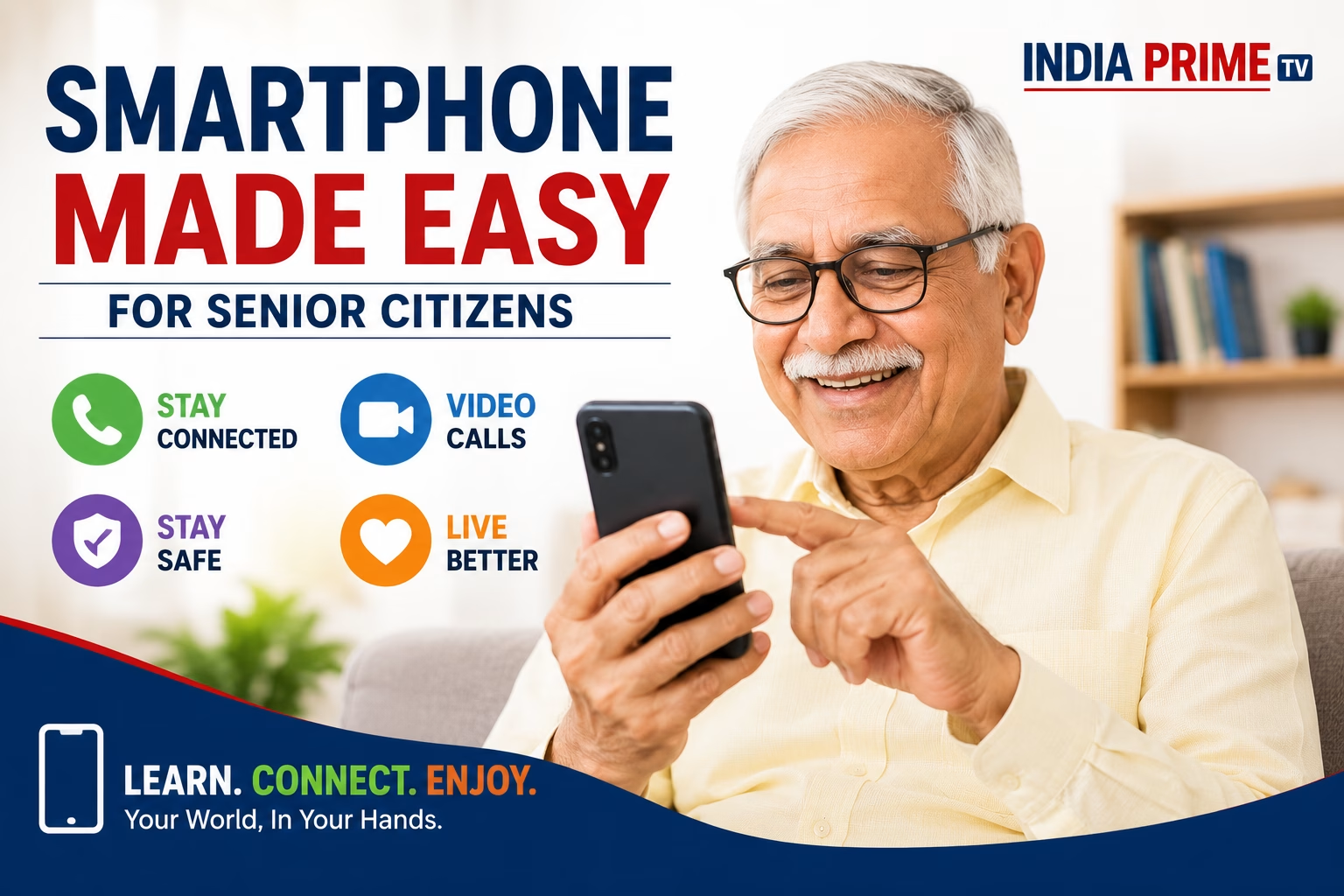
Anita chauhan By India Prime Research Desk Smartphones for Senior Citizens Technology has transformed everyday life. Today, smartphones are no longer just communication devices—they have become tools for healthcare, banking, entertainment, emergency assistance, and staying connected with family.
For senior citizens, smartphones can reduce loneliness, improve independence, and provide instant access to essential services. However, many elderly users struggle with small text, complex interfaces, confusing settings, and concerns about online fraud.
This guide explains everything senior citizens need to know—from choosing the right smartphone to making it easy and safe to use.
Why Should Senior Citizens Use Smartphones?
A smartphone can help older adults:
- Stay connected with children and relatives through voice and video calls.
- Watch devotional programs, news, and educational videos.
- Order medicines online.
- Book doctor appointments.
- Make digital payments.
- Receive emergency assistance.
- Access government services from home.
Instead of depending on others, smartphones can help elderly users become more confident and digitally independent.
Smartphone Usage Among Senior Citizens in India
Recent studies indicate a growing adoption of smartphones among older Indians.
Some important trends include:
- Smartphone ownership continues to rise in urban India.
- Rural adoption is increasing but remains comparatively lower.
- Many elderly users still prefer feature phones because of their simplicity.
- Most senior citizens require assistance for installing applications, updating settings, or managing passwords.
Despite these challenges, digital adoption among India’s elderly population is improving every year.
How Senior Citizens Commonly Use Smartphones
The most common uses include:
1. Staying Connected with Family
Voice calls and WhatsApp video calls remain the most frequently used features.
2. Watching Religious Content
Many seniors watch:
- Live temple darshan
- Bhajans
- Spiritual discourses
- Yoga sessions
3. News Consumption
Smartphones allow seniors to read newspapers, watch television news, and stay updated with national and international events.
4. Healthcare
Many elderly users now:
- Book doctor appointments
- Purchase medicines
- Store medical reports
- Receive medicine reminders
Common Problems Senior Citizens Face
Small Text and Icons
Aging reduces eyesight, making it difficult to read small fonts.
Touchscreen Difficulties
Hand tremors or reduced finger control often cause accidental taps.
Fear of Technology
Many seniors worry that pressing the wrong button could damage the phone or result in financial loss.
Password Management
Remembering multiple passwords becomes difficult.
Online Fraud
Scam calls, fake banking links, phishing messages, and OTP fraud remain major concerns.
Easy Smartphone Settings Every Senior Should Enable
Increase Font Size
Settings → Display → Font Size
Use larger fonts for easier reading.
Enable Bold Text
Bold fonts improve readability significantly.
Turn On Easy Mode
Many Android phones offer Easy Mode, which provides:
- Larger icons
- Simplified menus
- Cleaner home screen
Increase Touch Response Time
Accessibility → Touch & Hold Delay
This reduces accidental taps.
Increase Screen Brightness
Proper brightness reduces eye strain.
Enable Voice Commands
Google Assistant (Android)
or
Siri (iPhone)
allows seniors to make calls, send messages, set reminders, and search the internet simply by speaking.
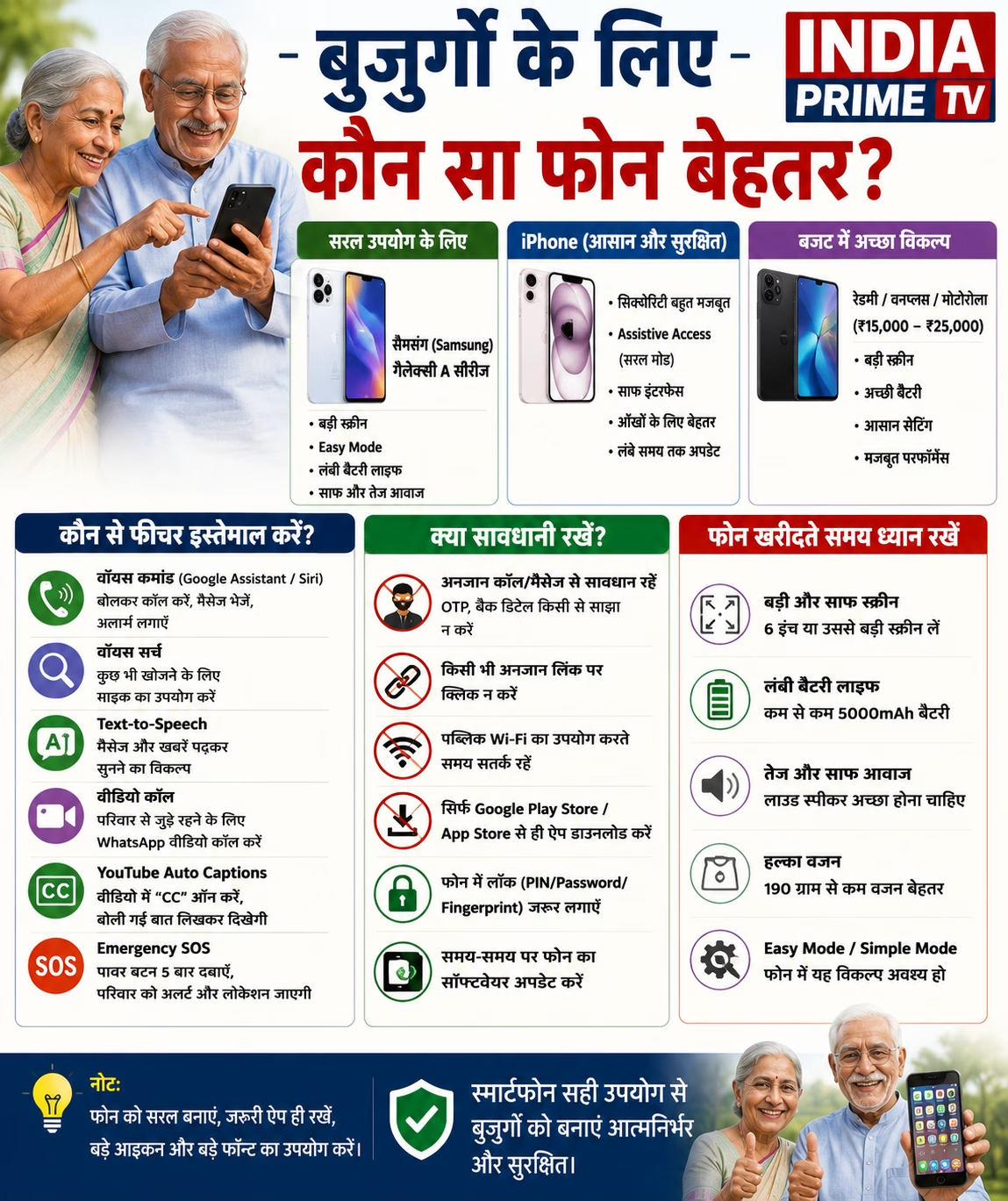
Six Smartphone Features Every Senior Citizen Should Learn
Voice Calling
Example:
“Call my son.”
Voice Search
Instead of typing, seniors can simply say:
“Today’s weather”
or
“Play devotional songs.”
WhatsApp Video Calling
A simple tap allows face-to-face communication with family members.
Emergency SOS
Most smartphones allow emergency contacts to receive alerts by pressing the power button multiple times.
Text-to-Speech
Phones can read messages and articles aloud.
This is especially useful for people with weak eyesight.
Medicine Reminders
Voice assistants can remind seniors to take medicines on time.
Smartphone Safety Tips
Senior citizens should remember these simple rules:
- Never share OTPs.
- Never disclose ATM PINs.
- Ignore unknown video calls.
- Do not install apps sent through unknown WhatsApp messages.
- Download apps only from official app stores.
- Keep the phone updated.
- Use fingerprint or face unlock whenever available.
Best Smartphones for Senior Citizens
When buying a smartphone, focus on usability rather than expensive specifications.
Look for:
- Large display (6.5 inches or bigger)
- Loud speakers
- Long battery life
- Lightweight design
- Good display brightness
- Easy accessibility features
Premium devices generally offer stronger security, while many mid-range Android smartphones provide excellent accessibility options at a lower price.
Teaching Smartphones to Senior Citizens
Learning should happen gradually.
Week 1
- Making calls
- Receiving calls
Week 2
- Video calling
Week 3
- Voice search
- YouTube
Week 4
- Digital payments
- Online appointments
Avoid teaching too many features in a single session.
Patience is the key.
The Future of Senior-Friendly Technology
Artificial Intelligence is making smartphones easier than ever.
Modern phones can:
- Read text aloud
- Translate languages
- Detect spam calls
- Understand voice commands
- Provide health reminders
- Assist during emergencies
Future smartphones are expected to become even more accessible for elderly users.
Conclusion
Technology should simplify life—not complicate it.
With a few accessibility settings, basic digital training, and proper online safety awareness, smartphones can become powerful companions for senior citizens.
Helping older family members learn one feature at a time can improve their confidence, independence, and overall quality of life.
A smartphone is no longer just a device—it is a bridge that connects generations.
Frequently Asked Questions (FAQs)
Are smartphones difficult for senior citizens to learn?
No. With larger fonts, Easy Mode, and voice assistants, smartphones become much easier to use.
Which smartphone features are most useful for elderly users?
Voice calling, WhatsApp video calls, emergency SOS, medicine reminders, text-to-speech, and voice search.
Are smartphones safe for senior citizens?
Yes, provided users never share OTPs, PINs, or banking information and only install apps from official stores.
Which type of smartphone is best for senior citizens?
A lightweight phone with a large display, loud speakers, long battery life, and accessibility features is usually the best choice.
How can family members help seniors learn smartphones?
Teach one feature at a time, use written instructions, encourage regular practice, and remain patient throughout the learning process.
Social Media Post
📱 Technology is for every generation.
Smartphones can help senior citizens stay connected with family, manage healthcare, make digital payments safely, and enjoy greater independence.
Read our complete practical guide covering easy settings, safety tips, voice commands, accessibility features, and the best smartphone practices for elderly users.
Read now on India Prime TV.
#SeniorCitizens #SmartphoneGuide #DigitalIndia #TechnologyForSeniors #DigitalLiteracy #WhatsApp #CyberSafety #Accessibility #IndiaPrimeTV